
Supportdaten importieren
Nach dem Speichern findest Du in der Zammad-Anbindung den Bereich Import. Dort kannst Du getrennt auswählen, welche Informationen mailfino regelmäßig aktualisieren soll:
- Supportkontakte übernimmt aktive Zammad-Kunden in Deine Kontaktliste.
- Organisationen ergänzt den Firmenbezug der Kontakte.
- Ticket-Snapshots stellt die Zielgruppen für offene und geschlossene Tickets bereit.
Aktiviere die gewünschten Einträge und starte die Synchronisierung.
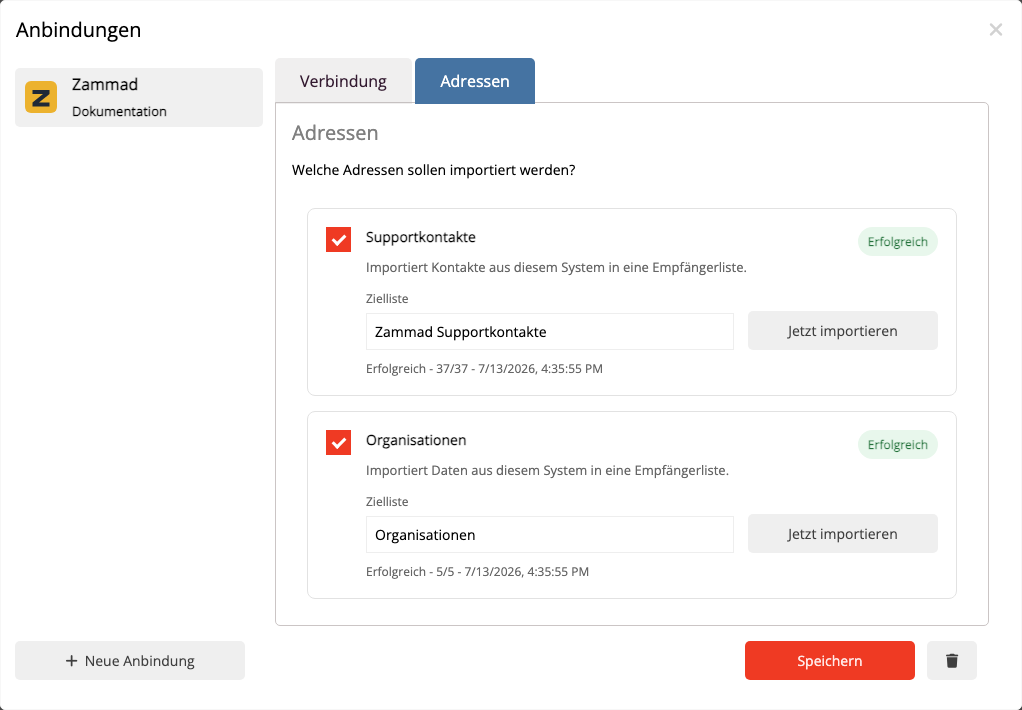
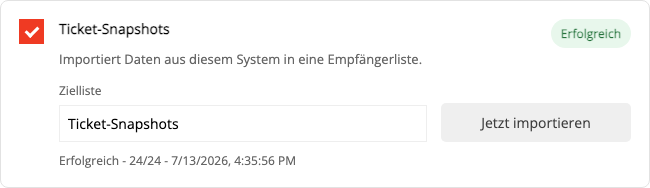
Beim ersten Import kann die Verarbeitung etwas länger dauern. Im Status siehst Du, wie viele Einträge gelesen und übernommen wurden und ob einzelne Datensätze nicht verarbeitet werden konnten. Ein erneuter Import aktualisiert vorhandene Kontakte und Tickets, statt sie doppelt anzulegen.
Von einem Ticket übernimmt mailfino nur Angaben, die für die Zuordnung und Segmentierung nötig sind. Der eigentliche Gesprächsverlauf, interne Notizen und Anhänge verlassen Zammad nicht.
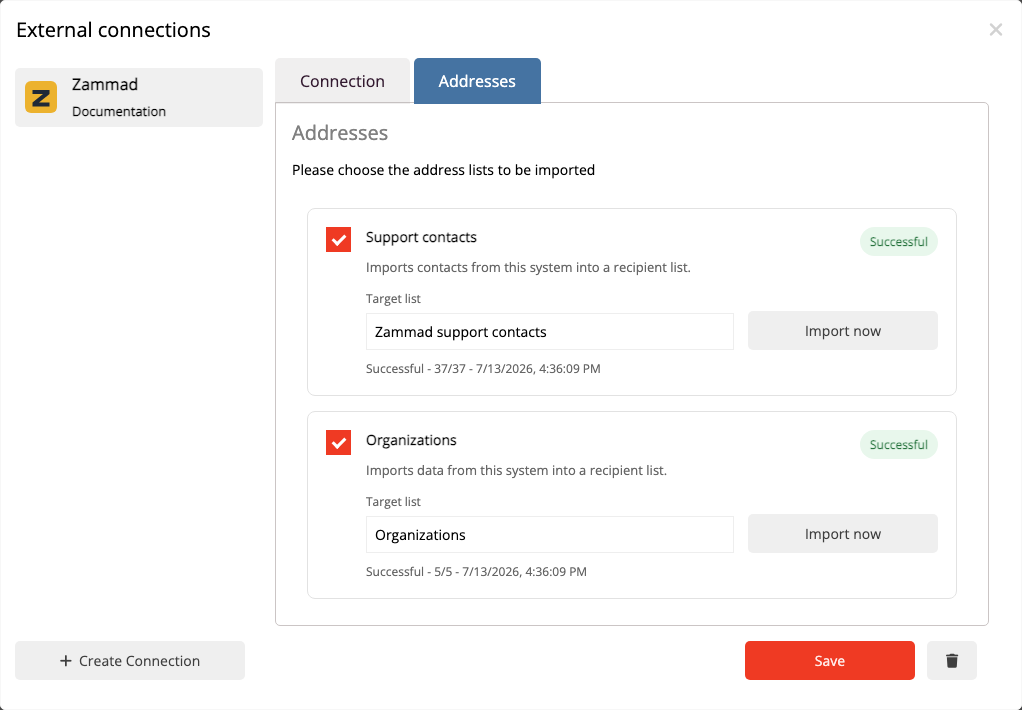
Once the connection is saved, open Import in the Zammad connection. You can choose separately which information mailfino should keep up to date:
- Support contacts adds active Zammad customers to your contact list.
- Organizations adds company information to those contacts.
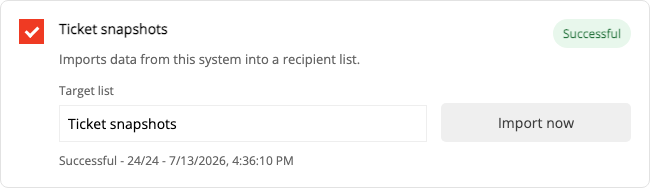
- Ticket snapshots provides the audiences for open and closed tickets.
Enable the entries you need and start synchronization.
The first import may take a little longer. The status shows how many entries were read and imported and whether any records could not be processed. Running the import again updates existing contacts and tickets instead of creating duplicates.
mailfino imports only the ticket details needed for matching and audience selection. The conversation itself, internal notes, and attachments remain in Zammad.
 Deutsch
  English