
Import Contacts from CentralStationCRM
Open the saved CentralStationCRM connection and select in the area Import the source People. As the standard source, mailfino imports all accessible contacts from CentralStationCRM.
If your CentralStationCRM account contains tags, mailfino will also display these tags as import sources. This allows you, for example, to only select people with the tag Newsletter into your own mailfino recipient list. For each selected CentralStationCRM tag, mailfino saves its own import profile and creates a corresponding recipient list during the import.
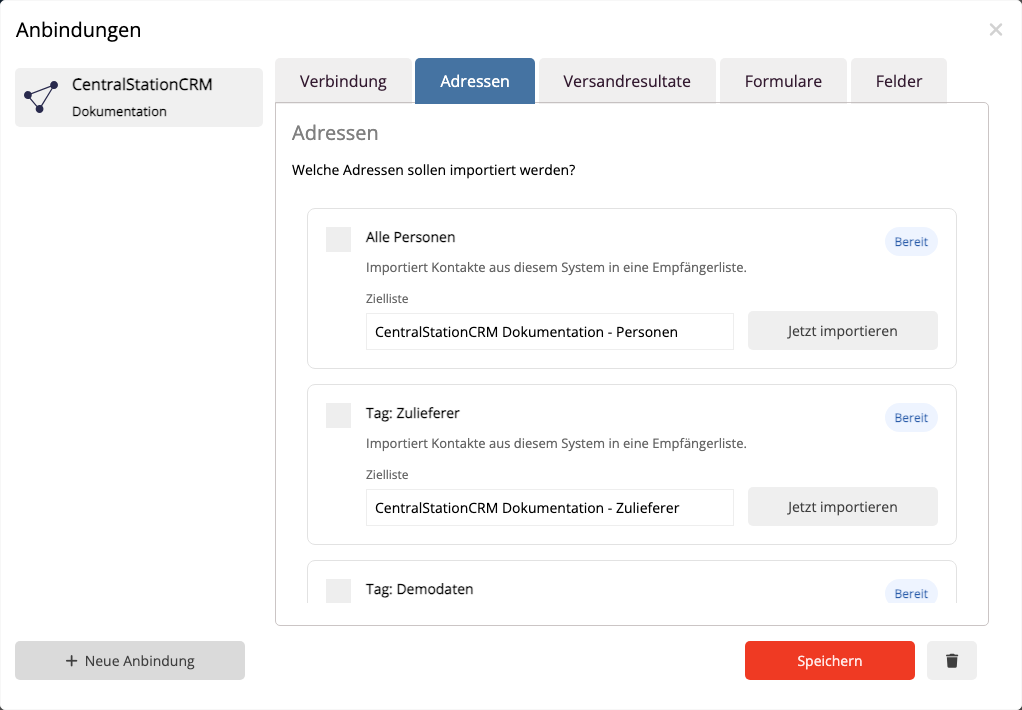
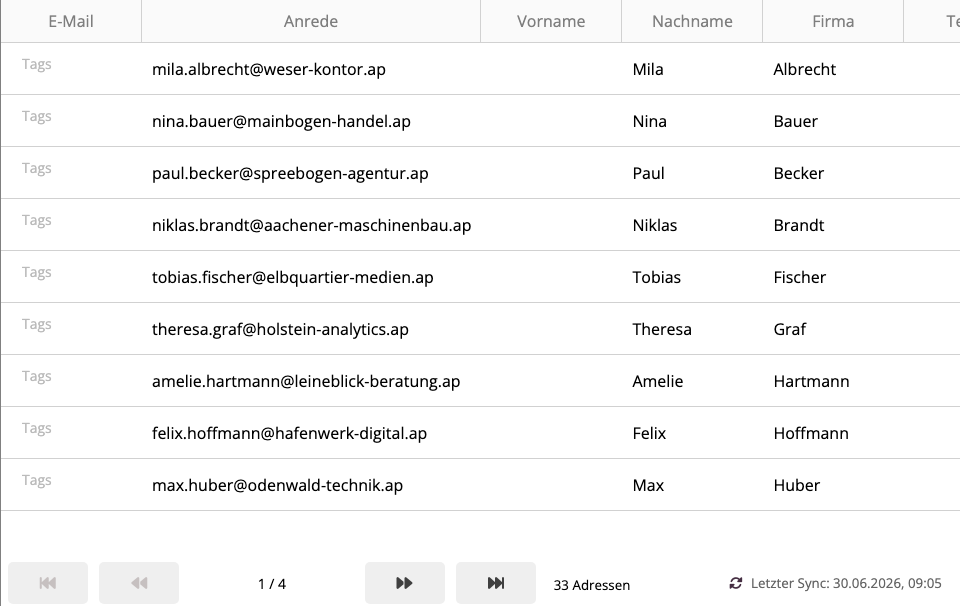
During import, mailfino takes the primary email address, first name, last name, available company information, phone number, and existing tags. The tags are imported as a field. Keywords saved; they will not be synchronized as native mailfino tags in the first integration scope. A re-import will not create new duplicates for already linked CentralStationCRM persons. mailfino uses a stable external key per person for this.
Filter groups are not yet offered as a source in the first integration scope. For reusable import groups, use tags in CentralStationCRM first.
 Deutsch
  English