
OXID eShop Integration
Mit der OXID eShop Integration verbinden Sie Ihren Shop mit mailfino. Sie können Shop-Kunden als Empfänger importieren, abgeschlossene Bestellungen als Kaufdaten für Zielgruppen nutzen und Produkte aus OXID in Newsletter-Produktkarten verwenden.
OXID stellt diese Daten nicht über dieselbe Standard-REST-API bereit wie WooCommerce. Deshalb verwendet mailfino einen kleinen read-only Connector, der in Ihrem OXID-Shop installiert wird. Der Connector liest Kunden, Bestellungen und Produkte und stellt sie mailfino in einem einheitlichen Format bereit.
Diese Anleitung ist in mehrere Kapitel aufgeteilt:
- OXID Connector vorbereiten
- Mit OXID eShop verbinden
- Kunden und Kaufdaten importieren
- Zielgruppen nach Käufen bilden
- Produkte im Newsletter verwenden
- Problembehebung
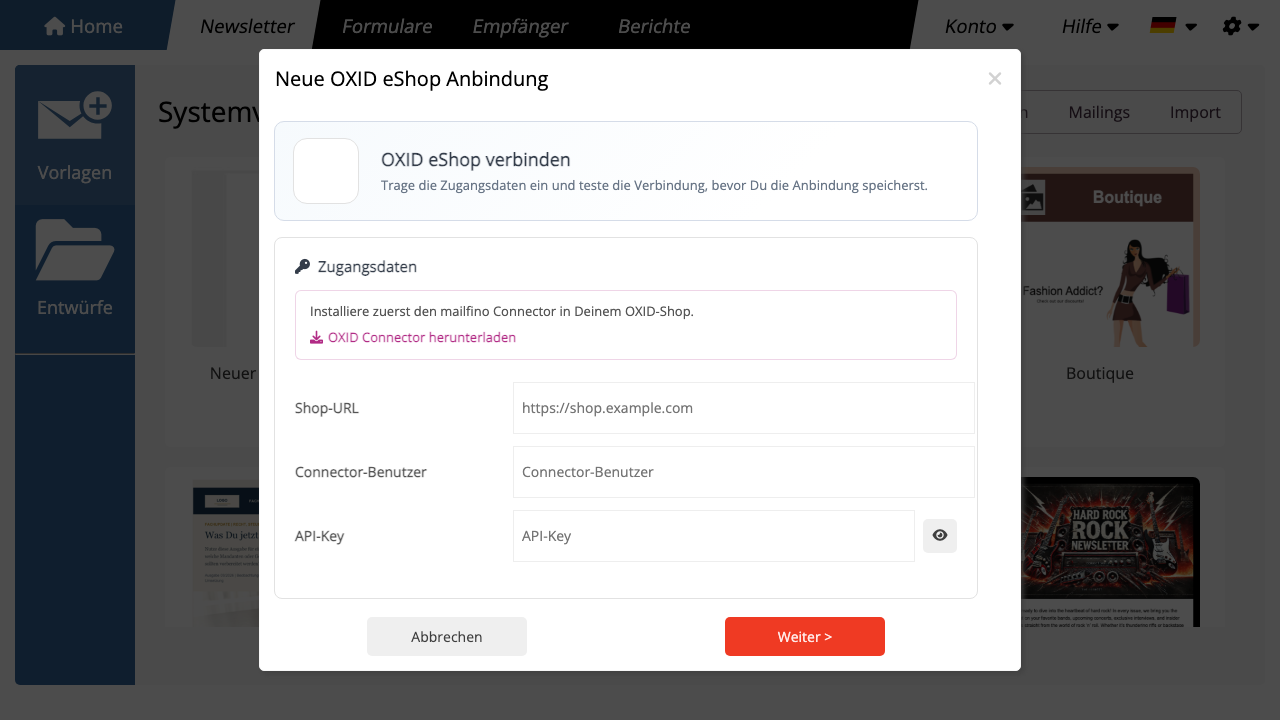
Die Einrichtung erfolgt in mailfino im Bereich Anbindungen. Wählen Sie im Anbindungsassistenten zuerst OXID aus. Im Schritt Zugangsdaten können Sie den OXID Connector herunterladen, im Shop installieren und anschließend die Connector-Zugangsdaten in mailfino eintragen.
Kaufdaten werden in mailfino im Hintergrund gespeichert. Sie erscheinen nicht als normale Kontaktfelder, sondern dienen nur zur Filterung, Segmentierung und Produktauswahl. Ob ein Empfänger angeschrieben werden darf, entscheidet weiterhin die Versandberechtigung in mailfino.
The OXID eShop integration connects your shop with mailfino. You can import shop customers as recipients, use completed orders as purchase data for audiences, and use OXID products in newsletter product cards.
OXID does not provide this data through the same standard REST API as WooCommerce. For that reason, mailfino uses a small read-only connector that is installed in your OXID shop. The connector reads customers, orders, and products and provides them to mailfino in a unified format.
This guide is split into several chapters:
- Prepare the OXID Connector
- Connect OXID eShop
- Import customers and purchase data
- Build audiences from purchases
- Use products in newsletters
- Troubleshooting
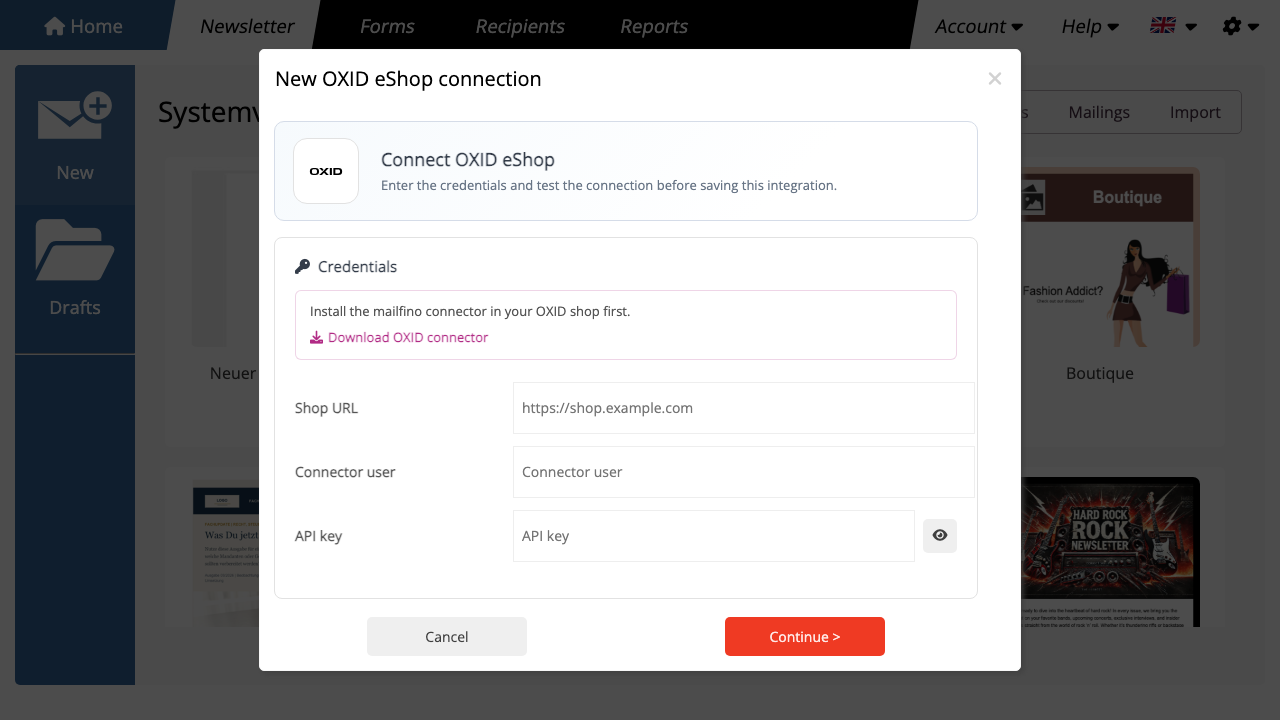
Setup starts in mailfino under Connections. Select OXID in the connection wizard first. In the Credentials step, you can download the OXID Connector, install it in the shop, and then enter the connector credentials in mailfino.
Purchase data is stored in mailfino in the background. It does not appear as normal contact fields. It is only used for filtering, segmentation, and product selection. Whether a recipient may receive mailings is still decided by the sending permission in mailfino.
 Deutsch
  English