
Prepare the Shopware integration
Bevor Sie Shopware mit mailfino verbinden, erstellen Sie in der Shopware Administration eine Integration für die Admin API. Diese Integration liefert die Access key ID und den Secret access key, die Sie später in mailfino eintragen.
Melden Sie sich in Shopware an und öffnen Sie Settings. In the area System wählen Sie Integrations. Dort sehen Sie vorhandene Integrationen und können neue API-Zugänge anlegen.

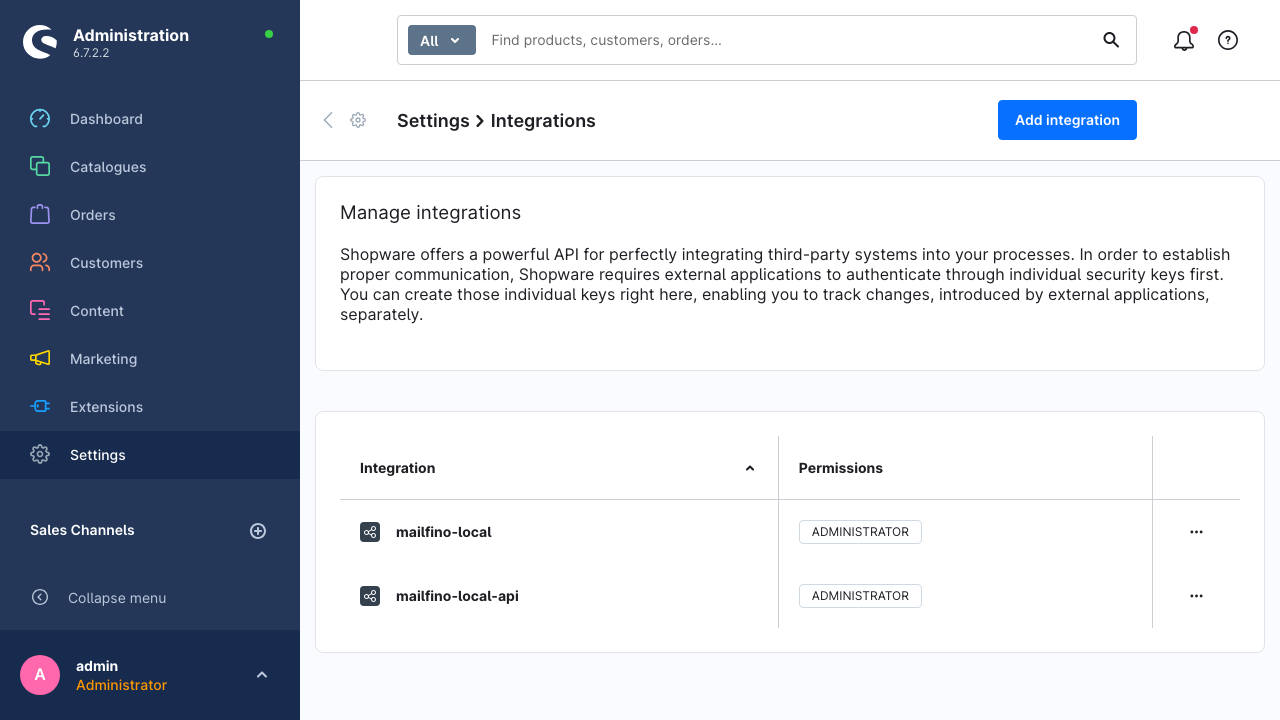
Click on Add integration. Tragen Sie einen sprechenden Namen ein, zum Beispiel mailfino , or mailfino Newsletter.
Für den ersten Test kann die Integration als Administrator angelegt werden. Für den produktiven Betrieb ist eine begrenzte Rolle besser, die nur Leserechte auf Kunden, Bestellungen, Produkte, Medien und Kategorien enthält.
Shopware erzeugt die Access key ID und den Secret access key direkt im Dialog. Kopieren Sie beide Werte sofort in die Shopware Anbindung in mailfino oder legen Sie sie in Ihrem internen Passwortmanager ab.
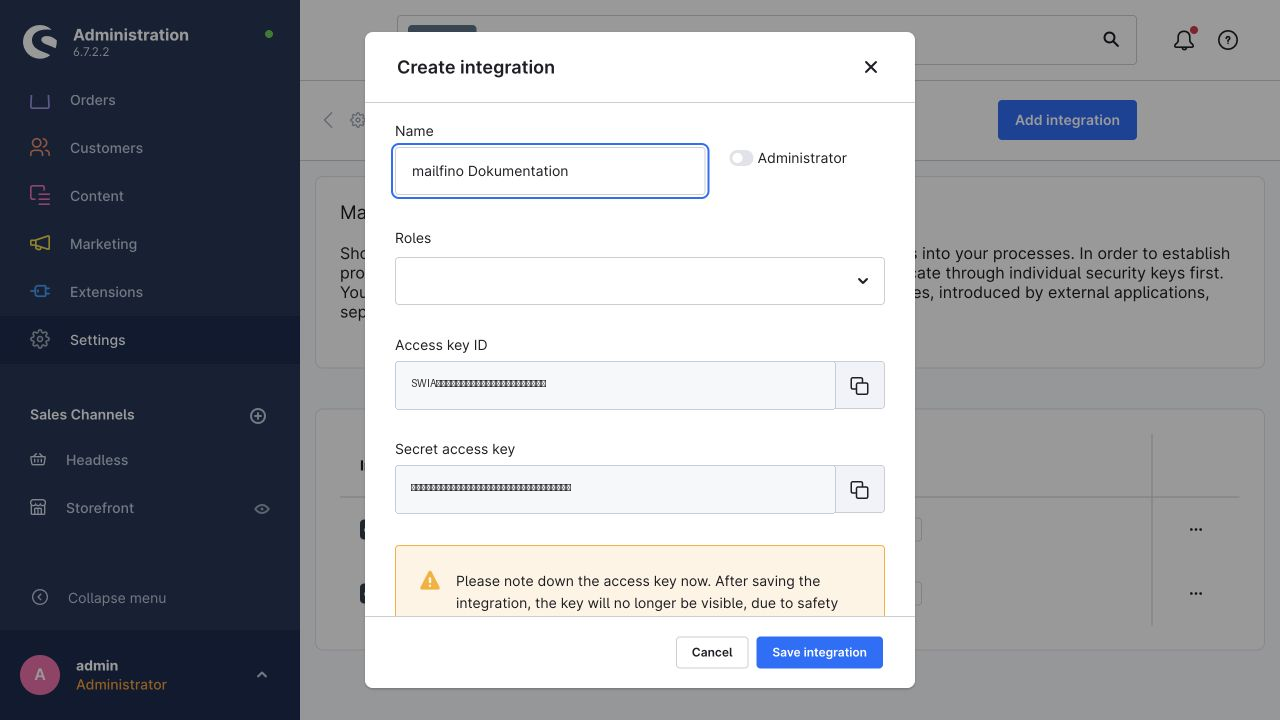
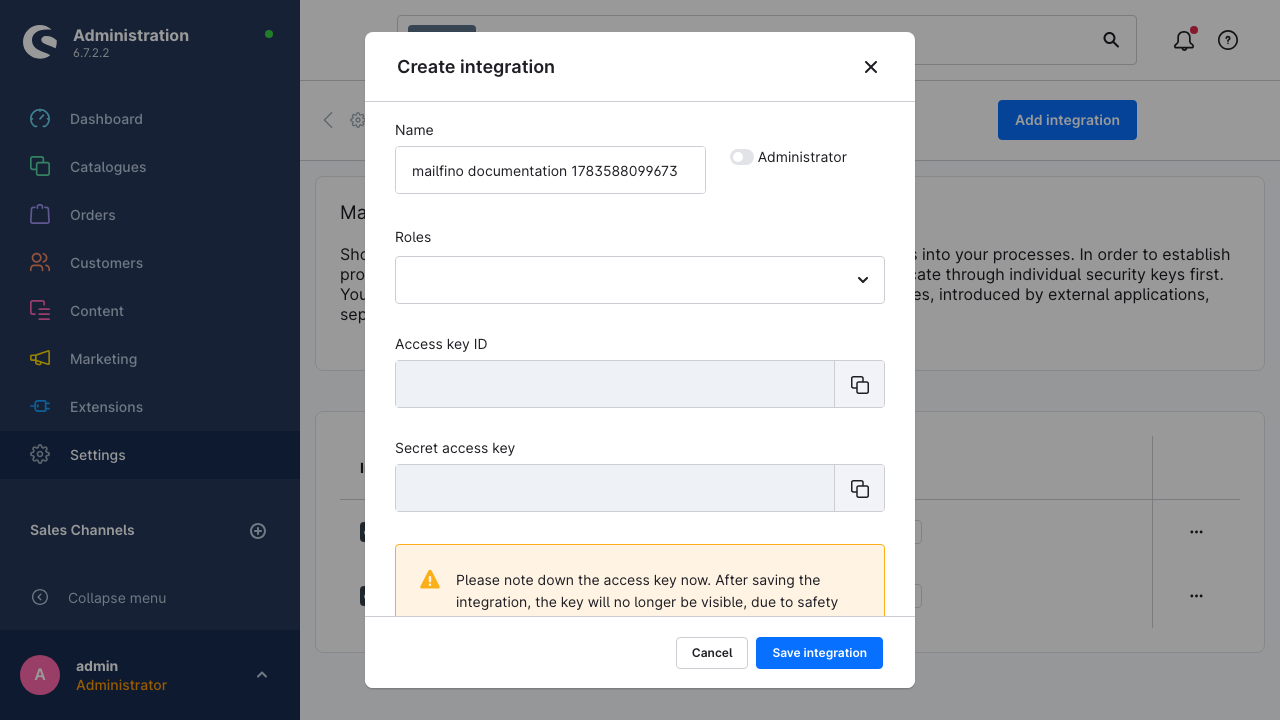
Klicken Sie anschließend auf Save integration. Nach dem Speichern zeigt Shopware den Secret Key aus Sicherheitsgründen nicht mehr vollständig an. Wenn der Secret Key verloren geht, erstellen Sie eine neue Integration und ersetzen die Zugangsdaten in mailfino.
Before you connect Shopware with mailfino, create an integration for the Admin API in the Shopware Administration. This integration provides the Access key ID and Secret access key that you enter in mailfino later.
Sign in to Shopware and open Settings. In the System section, choose Integrations. This page lists existing integrations and lets you create new API credentials.
Click Add integration. Enter a clear name, for example mailfino or mailfino Newsletter.
For a first test, the integration can be created as Administrator. For production use, a limited role is better. It should only grant read permissions for customers, orders, products, media, and categories.
Shopware creates the Access key ID and Secret access key directly in the dialog. Copy both values into the Shopware connection in mailfino right away or store them in your internal password manager.
Then click Save integration. After saving, Shopware no longer shows the full secret key for security reasons. If the secret key is lost, create a new integration and replace the credentials in mailfino.
 Deutsch
  English