
Connect WooCommerce
Open the menu with the gear icon in the top right and select Integrations. Wenn noch keine Anbindung eingerichtet wurde, öffnet mailfino direkt die Auswahl der verfügbaren Systeme. Andernfalls klicken Sie im Anbindungsmanager auf Neue Anbindung.
Wählen Sie WooCommerce aus und tragen Sie die Shop-URL sowie den WooCommerce Consumer Key und das Consumer Secret ein. Die Shop-URL ist die normale Adresse Ihres Shops, zum Beispiel https://shop.example.com.
mailfino prüft die Verbindung, bevor die Anbindung gespeichert wird. Dabei werden die WooCommerce REST-API-Zugangsdaten gegen den Shop getestet. Wenn die Prüfung erfolgreich ist, wird die Anbindung angelegt und in der linken Liste angezeigt.
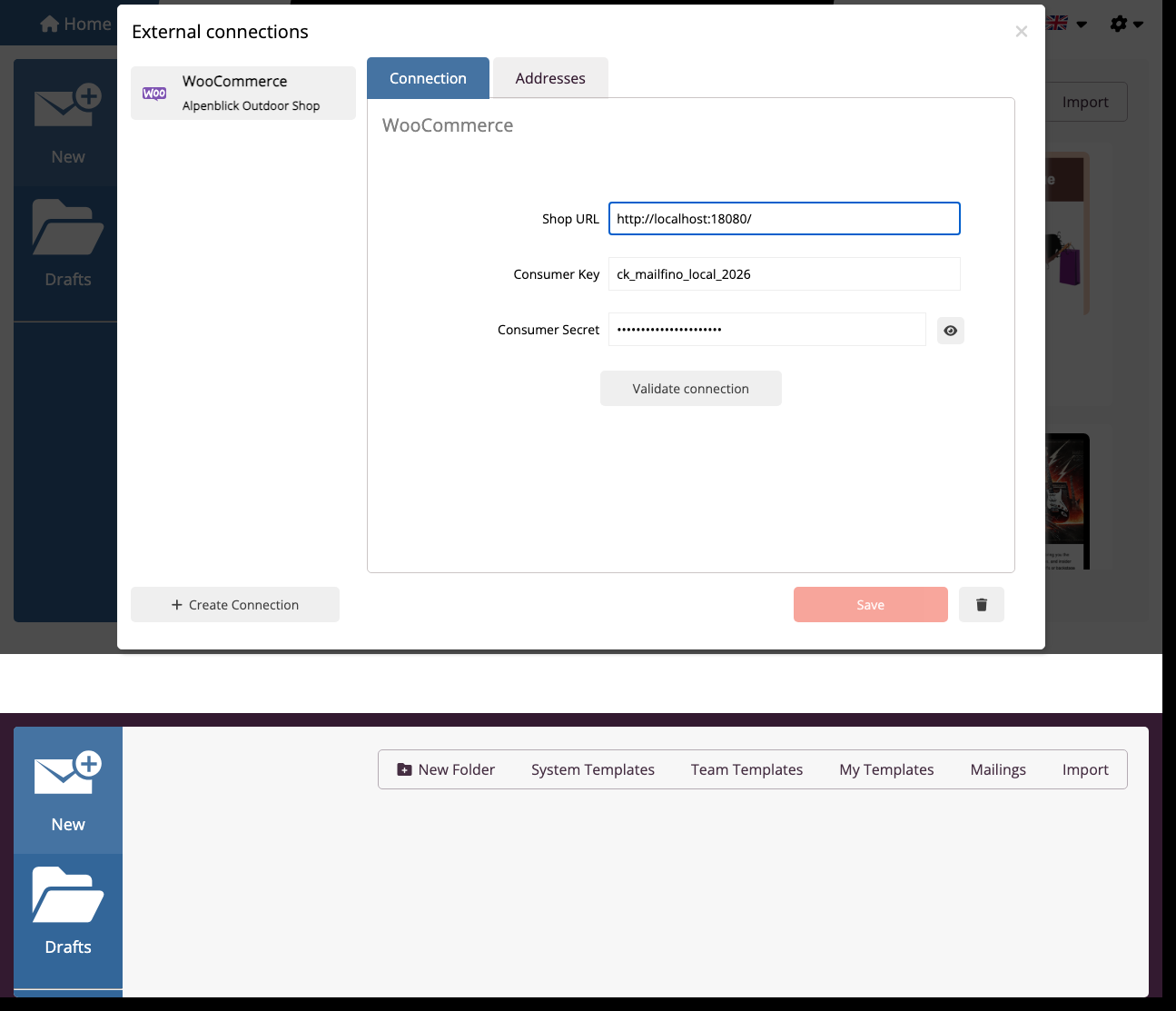
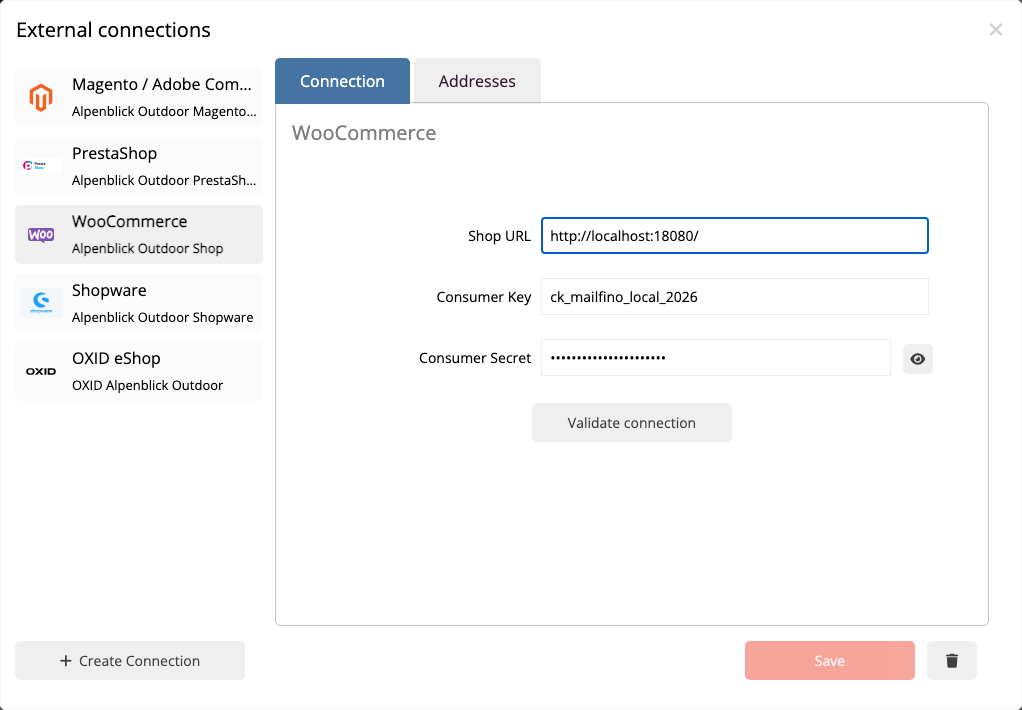
Für die Integration braucht der API-Schlüssel Leserechte auf Kunden, Bestellungen und Produkte. Schreibrechte sind für den Import und die Segmentierung nicht erforderlich. Wie Sie diesen Schlüssel in WooCommerce anlegen, steht im Kapitel Prepare WooCommerce REST API keys.
Wenn WooCommerce oder WordPress durch Sicherheitsplugins, Firewalls oder Basic-Auth geschützt ist, muss der mailfino Server die REST-API trotzdem erreichen können. Prüfen Sie in diesem Fall auch, ob die Route /wp-json/wc/v3/ von außen erreichbar ist.
Open the gear menu in the top right and choose Connections. If no connection has been set up yet, mailfino opens the system selection directly. Otherwise, click New connection in the connection manager.
Select WooCommerce and enter the shop URL, the WooCommerce Consumer Key, and the Consumer Secret. The shop URL is the normal address of your shop, for example https://shop.example.com.
mailfino checks the connection before it is saved. During this check, the WooCommerce REST API credentials are tested against the shop. When the check succeeds, the connection is created and appears in the list on the left.
The API key needs read permissions for customers, orders, and products. Write permissions are not required for import and segmentation. The chapter Prepare WooCommerce REST API keys explains how to create this key in WooCommerce.
If WooCommerce or WordPress is protected by security plugins, firewalls, or Basic Auth, the mailfino server still needs to reach the REST API. In that case, also check whether the route /wp-json/wc/v3/ is externally reachable.
 Deutsch
  English