
OpenCart verbinden
Öffne unter Konto → Anbindungen eine neue Shop-Anbindung und wähle OpenCart. Trage Shop-URL, Connector-Benutzer und API-Key ein. mailfino validiert die Verbindung vor dem Speichern.
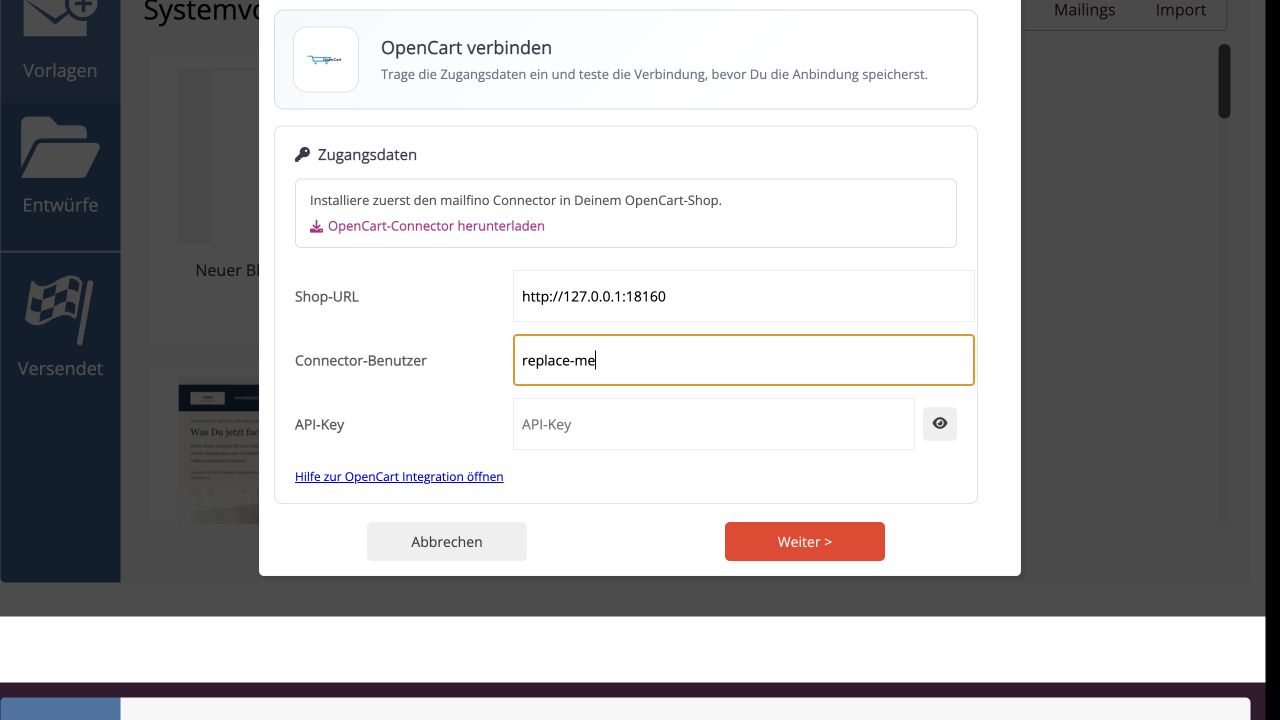
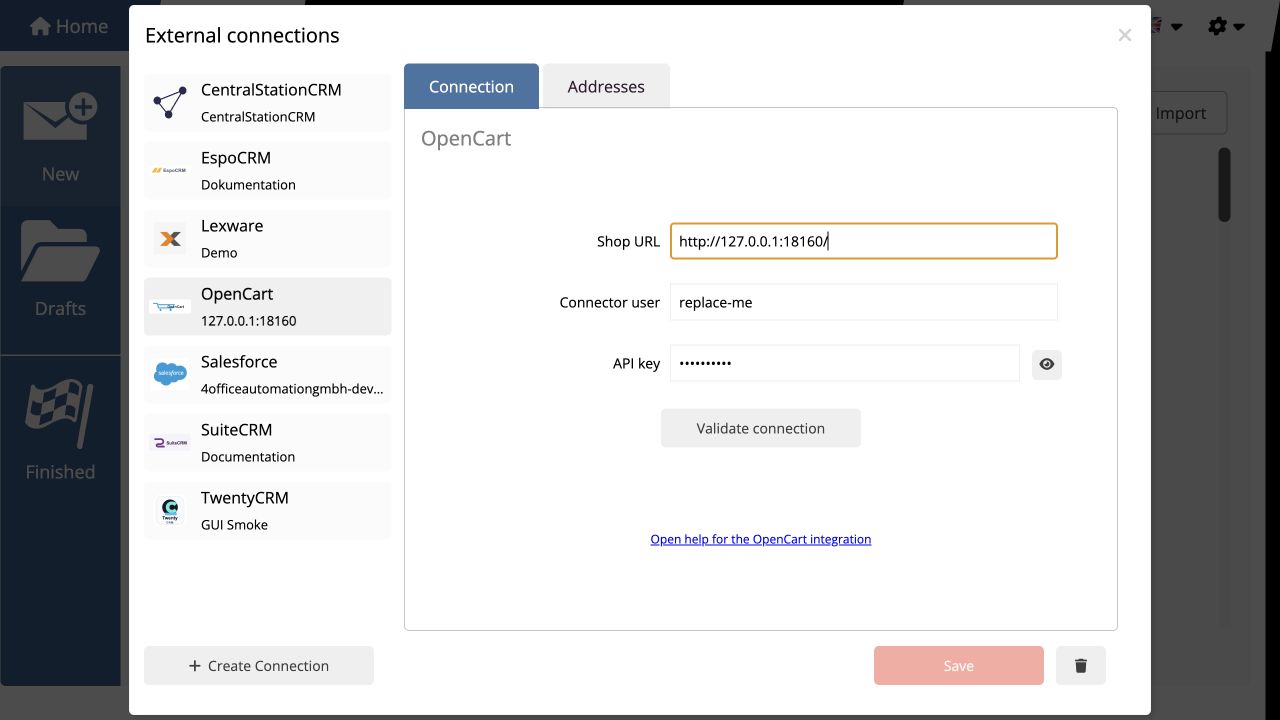
Nach erfolgreicher Prüfung erscheint OpenCart als gespeicherte Anbindung. Der API-Key bleibt im Secret-Speicher und wird nicht als normale Verbindungskonfiguration ausgeliefert.
Under Account → Integrations, create a new shop connection and select OpenCart. Enter the shop URL, connector user, and API key. mailfino validates the connection before saving it.
After successful validation, OpenCart appears as a saved connection. The API key remains in the secret store and is not returned as ordinary connection configuration.
 Deutsch
  English